← Back to Home
TikTok Wrapped
Analyze Your TikTok Data
Independent & unofficial tool — not affiliated with, endorsed by, or connected to TikTok or ByteDance Ltd.
📱 How to Get Your TikTok Data
Important: TikTok provides your data only upon request. After submitting a request, it may take a few hours up to 3 days for your data to be ready. Make sure to select “JSON” format when requesting!
1
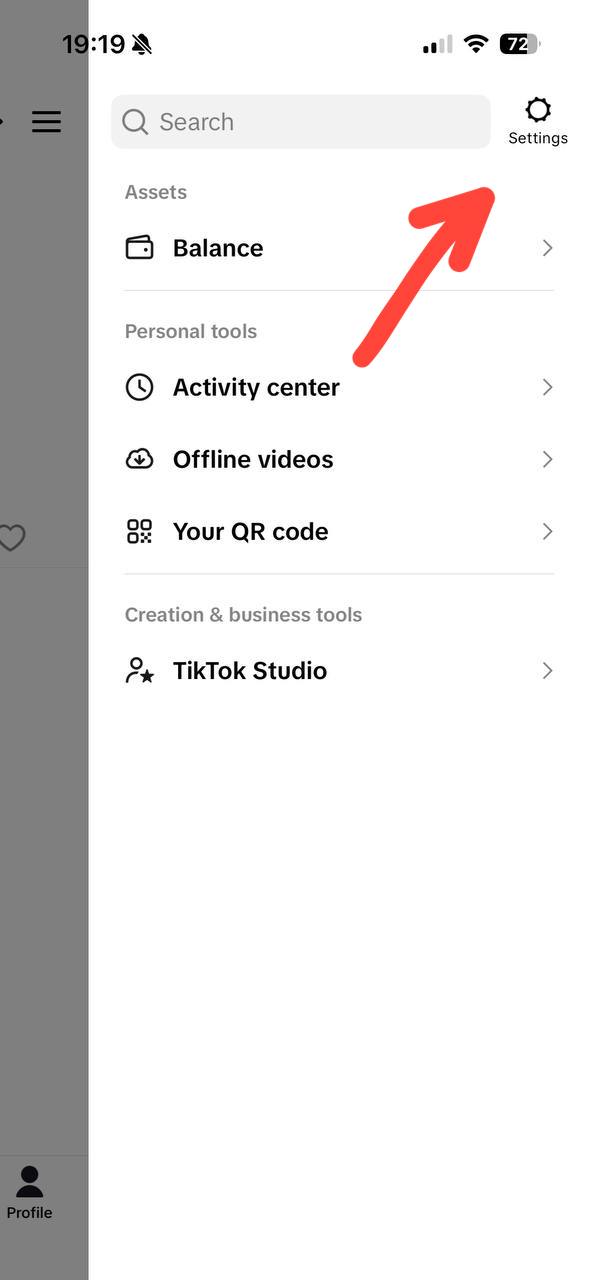
Open Settings
Go to your Profile → tap the ☰ menu → select Settings
2
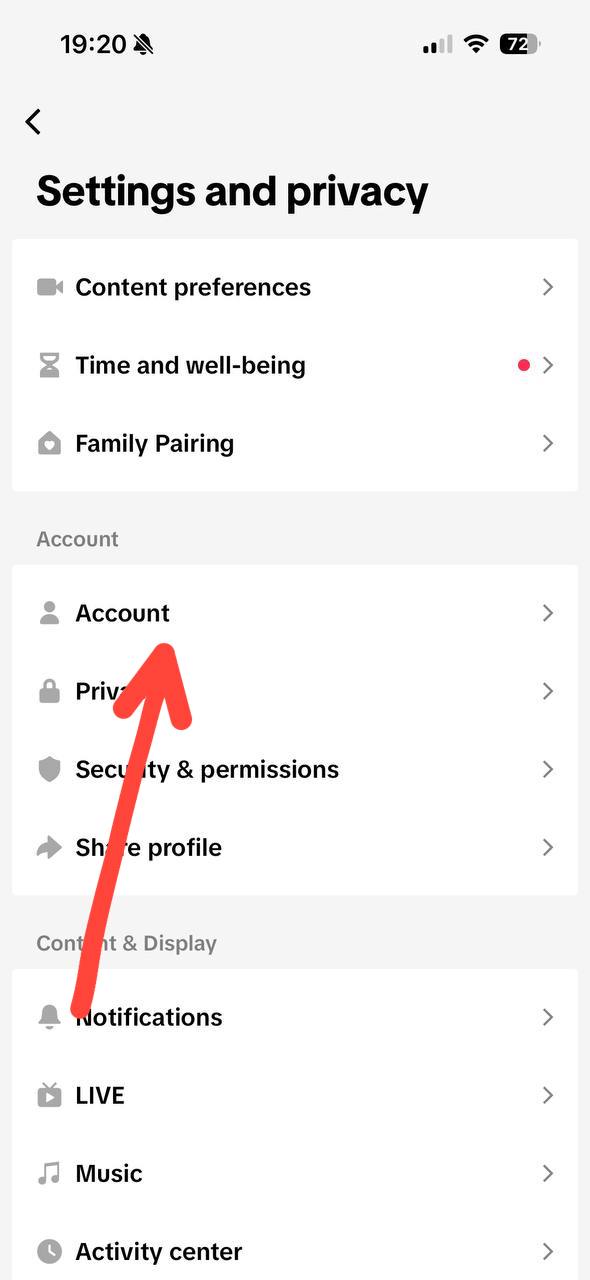
Go to Account
In Settings and Privacy, find and tap Account
3
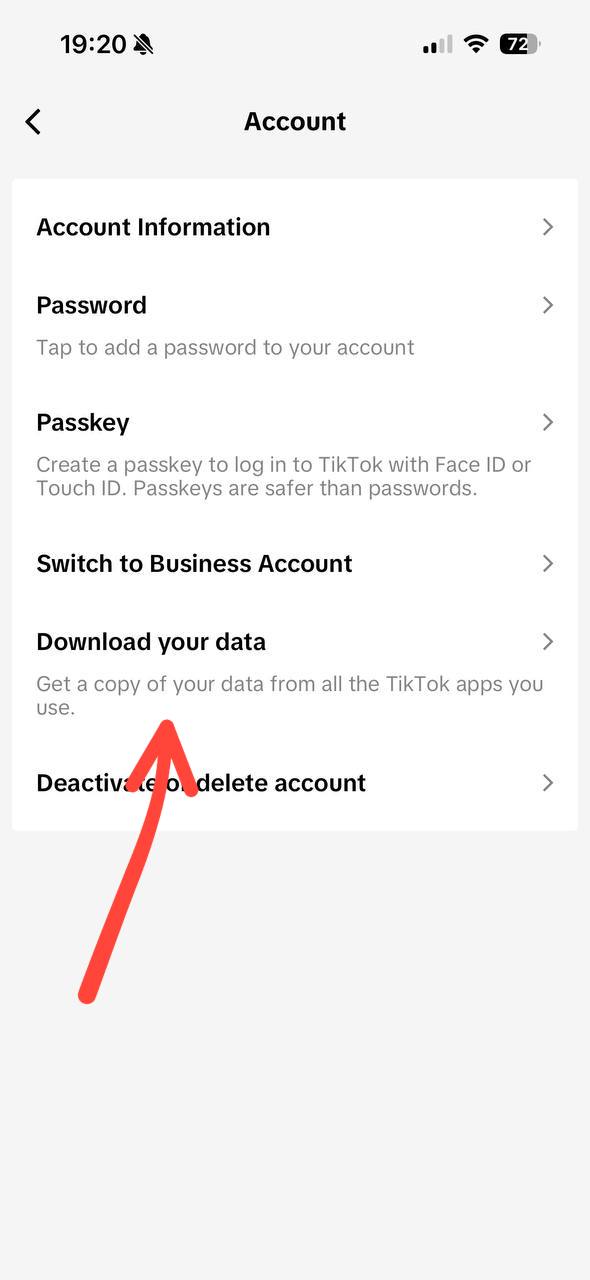
Download Your Data
Scroll down and tap “Download your data”
4
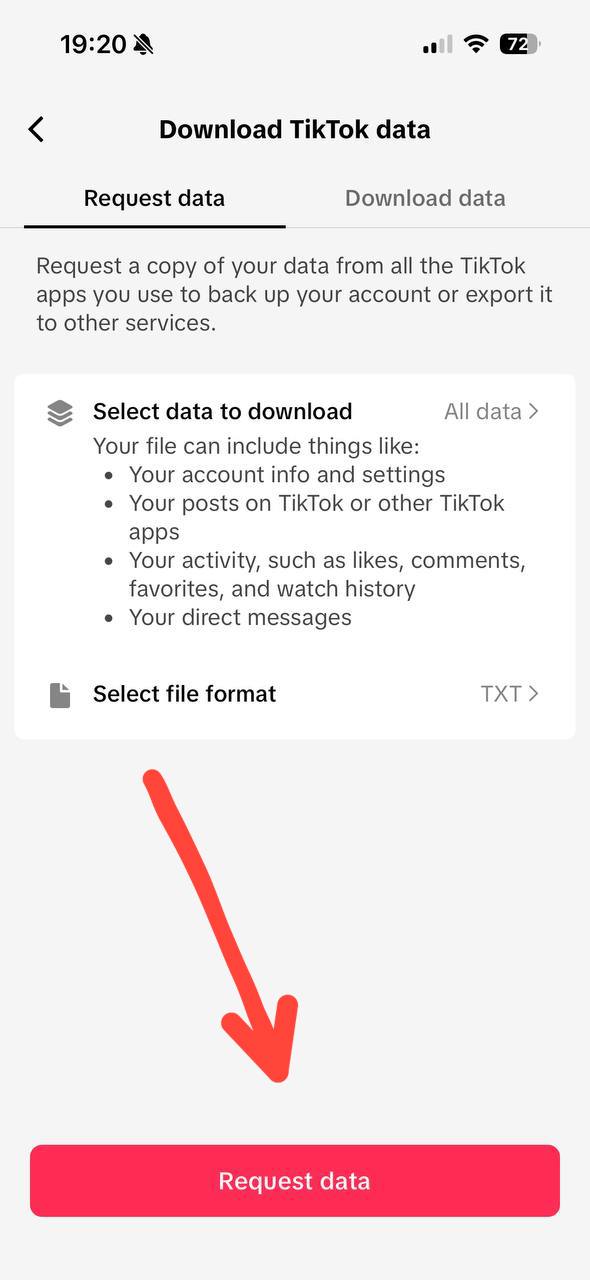
Request Data (JSON)
Change format to “JSON”, select “All data”, then tap “Request data”
📦
Drop your ZIP or JSON file here
TikTok → Settings → Privacy → Download Data
Your file is processed only to generate your results. We do not sell, share, or use uploaded data for advertising.
🎬 See It In Action
Want to see what TikTok Wrapped produces before you start? Browse a complete, real-looking example built from sample data — no upload required.
✨ And so much more awaits you...
🔍 Top Searches📅 Activity by Year⏰ Peak Hours❤️ Likes & Comments📤 Share History🔴 Live Streams